 Fetchlist
Calendar, routines and rewards for the whole family
Calmer mornings, happier kids, and no new screen to buy.
Fetchlist turns a tablet you already own into a Family Board for the calendar, routines and rewards. Kids check things off themselves. You run it all from your phone.
You're on the list. We'll email you when Fetchlist opens up.
Or try it in your browser today. App Store and Google Play: coming soon.
Built for the whole household
For busy parents
Fewer reminders. The routine is on the board, so you stop being the one who repeats it. Approve chores and send notes from wherever you are.
For kids
Game-style themes turn the morning routine into a mission. Kids tap their own tasks, earn points, and trade them for rewards you choose.
For the tablet in the drawer
No $300 smart display required. An old Android tablet, an iPad, a wall screen or a laptop browser all become your Family Board.
Set up in about five minutes
One app does both jobs. On the shared screen it's the Family Board. On your phone it's how you run it.
-
1
Sign in on your phone
Add your kids, their routines and a few rewards. Invite the other parent.
-
2
Pair the Family Board
Open Fetchlist on the tablet, choose Family Board, and type the code from your phone. No passwords on the shared screen.
-
3
Let the kids take it from there
They check off tasks and ask for rewards. You get a ping when something needs your OK.
Everything the fridge calendar wishes it could do
One family calendar
School, scouts, sports and your own calendars together, with the next 7 days right on the board.
Morning, afternoon and evening routines
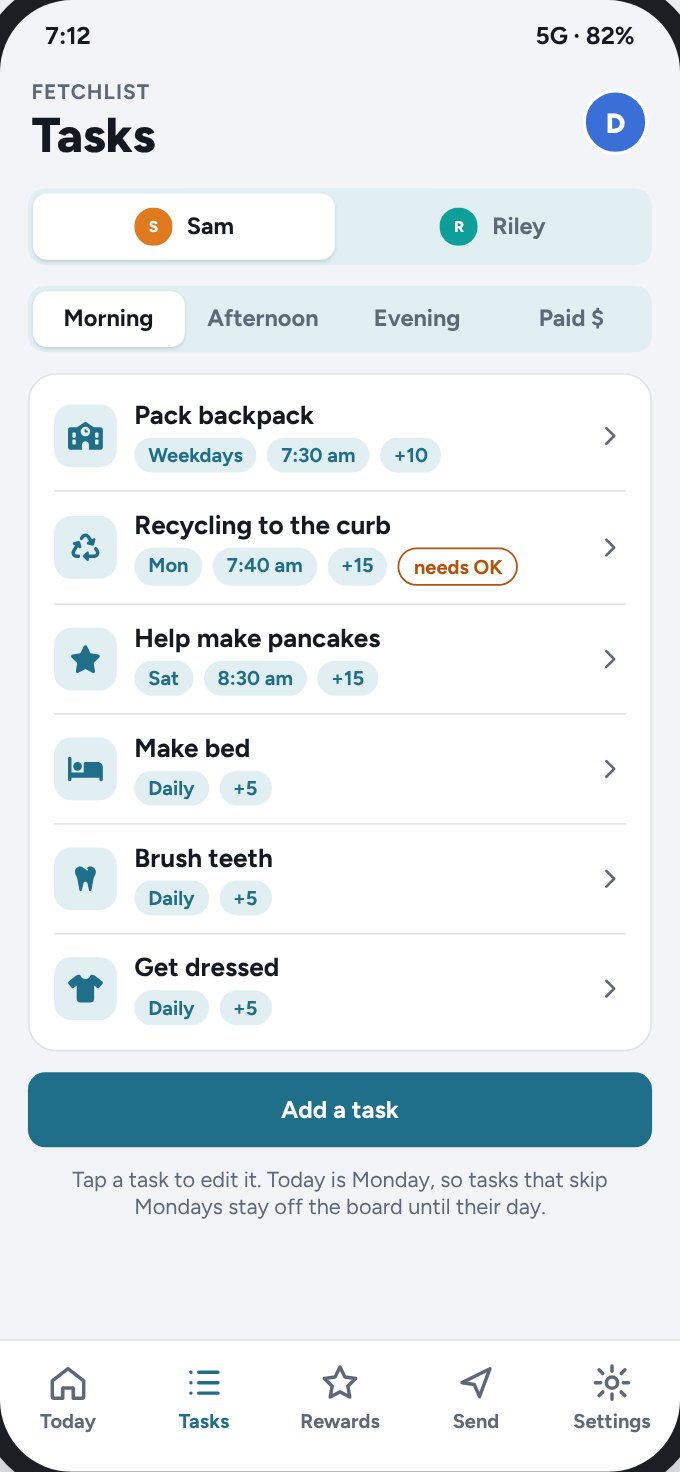
Tasks with times and icons, in the order you choose. Repeats daily, on set days, or once.
Points and rewards
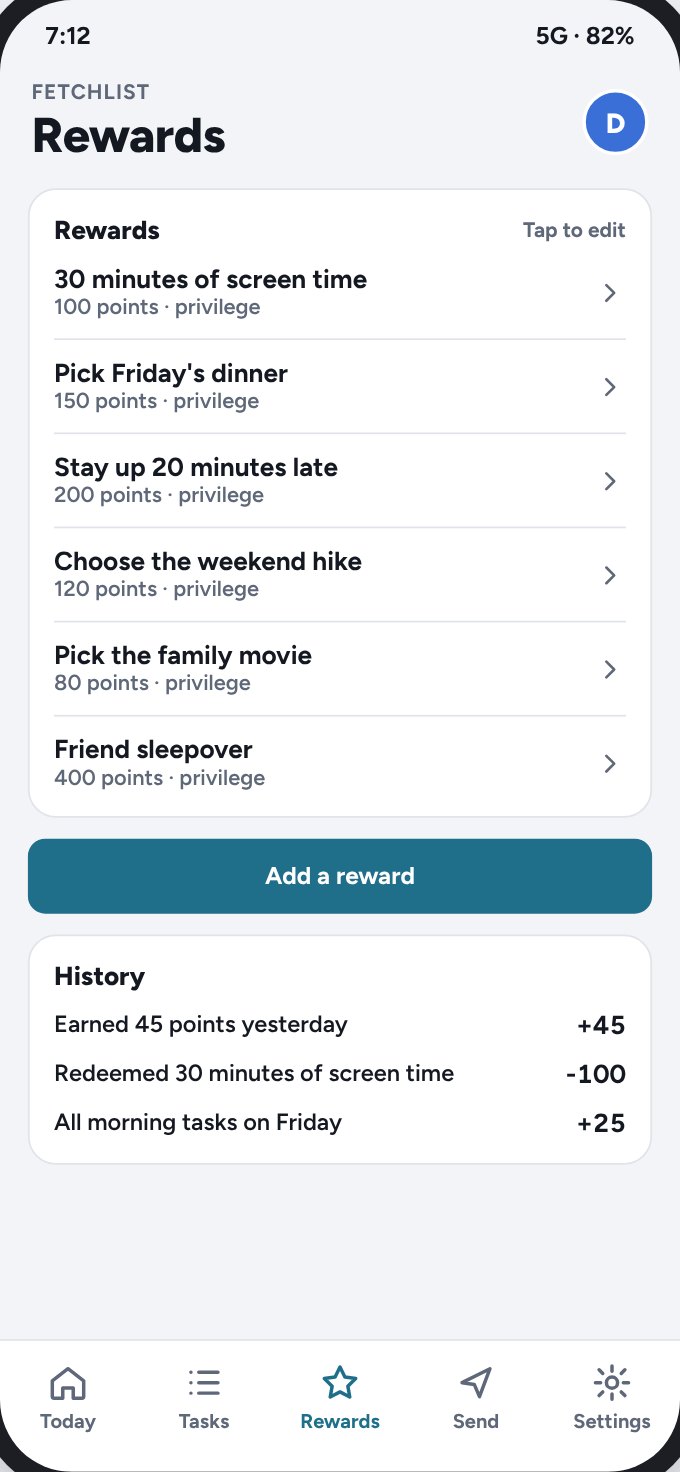
Kids earn points for tasks and spend them on rewards you set, like screen time or picking dinner.
Paid chores
Bigger jobs earn real money. You approve them, and Fetchlist keeps track of what you owe.
Spend & Save
Show each kid their spending and savings balances, so money stays visible.
Notes and photos
Send a surprise note or picture from your phone. It pops up on the board like a Polaroid.
Game themes
Pixel, space, quest and racer themes, with game words you can rename. Mornings become missions.
Every kid, one board
Each kid gets their own view and theme, plus an Everyone view for the whole crew.
Night mode and lock
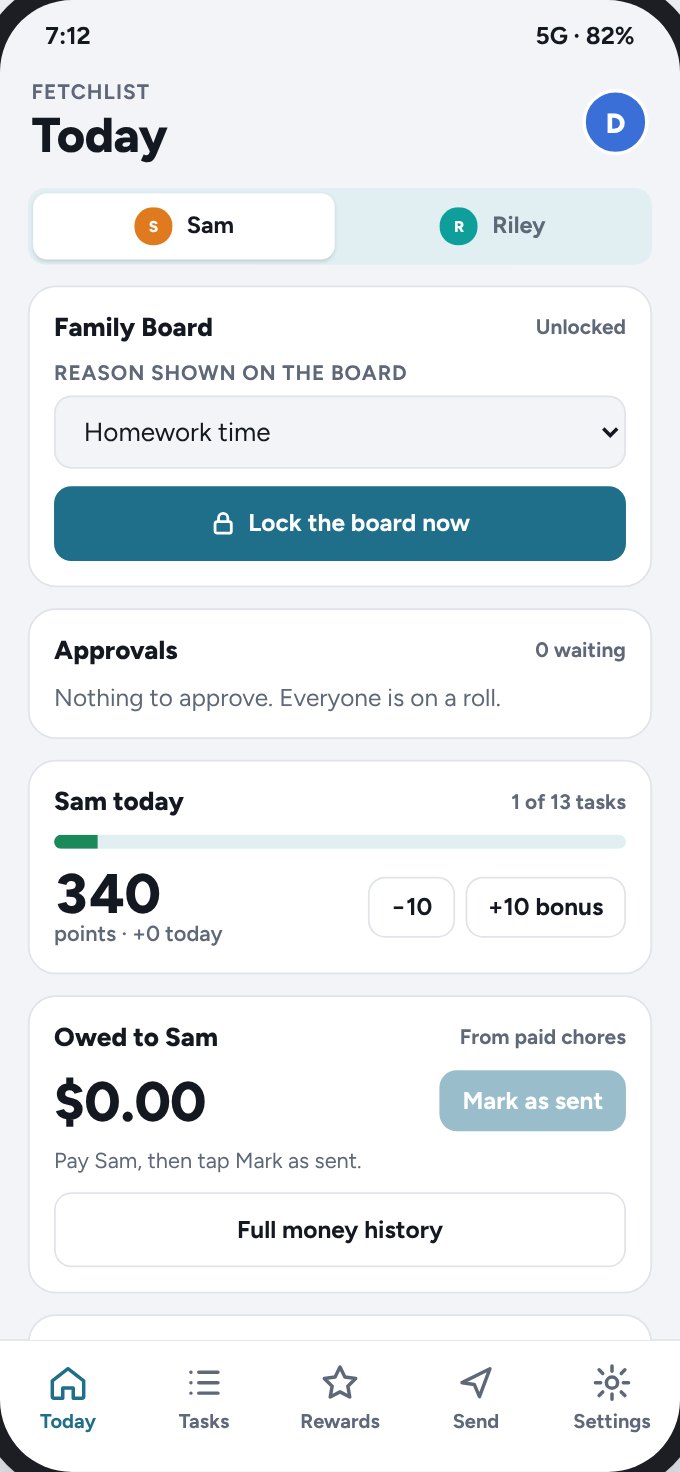
The board dims at bedtime, and you can lock it from your phone during homework.
Take a look around
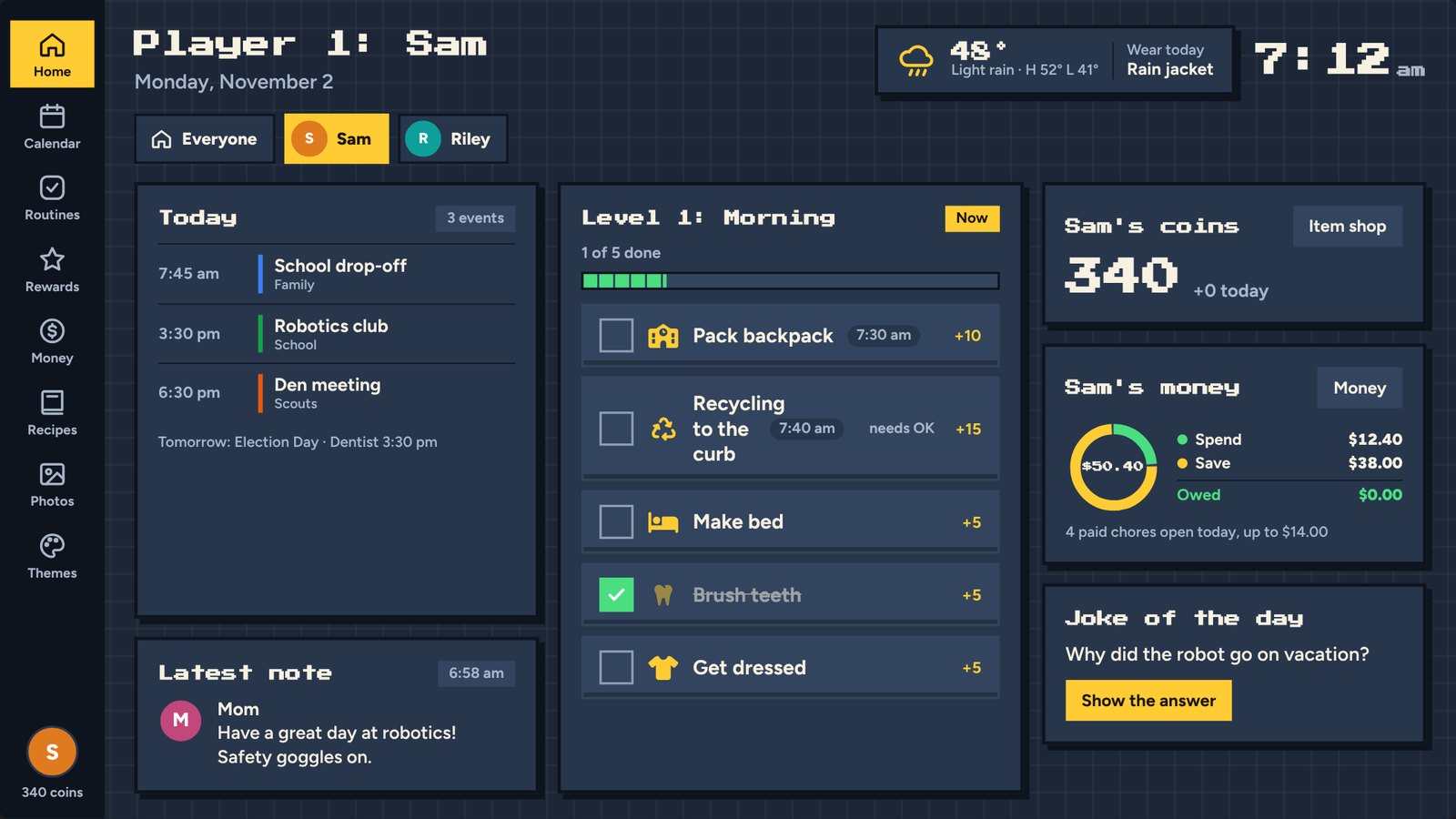
Screens from Fetchlist, shown here in the Pixel game theme.
Everything for today, on one screen
The calendar, the routine that is up next, points, money and a joke. Kids can see what is next without asking.
And on your phone
Works with what you already have
Every device can be a Family Board or a parent app. Pick it on first open and change it any time.
- Android tablets and phones
- iPad and iPhone
- Wall-mounted displays
- Any web browser
Simple pricing
Start free. Upgrade when the whole crew is on board.
Free
- Family calendar on the Family Board
- One kid with daily routines
- Weather and the joke of the day
Fetchlist Plus
First month free- Every kid, plus the Everyone view
- Rewards, points and point trades
- Paid chores and Spend & Save
- Game themes and your own game words
- Photos, notes and recipes
- Phone notifications for approvals
Your family's data stays your family's
Kids don't get accounts
Just a name, a color and an optional photo. Parents set up and control everything.
No ads, no selling data
You pay for Fetchlist with a subscription, not with your family's information.
Photos without location
Hidden photo data, like where it was taken, is removed before a photo leaves your phone.
Delete any time
Remove one kid's data or the whole family's, right in the app.
Questions
No. Fetchlist runs on Android tablets, iPads, phones, wall-mounted displays and any web browser. Most families start with a tablet they already own.
No. Kids are just a name, a color and an optional photo. Parents sign in and control everything, and the Family Board pairs with a code.
Add any calendar link, like school, scouts, sports or your own Outlook or Google calendar. Fetchlist checks for changes every 15 minutes and shows the next 7 days on the board.
Paid chores track what you owe your kids, and Spend & Save shows balances you type in. Fetchlist never moves money and does not connect to any bank or card.
Yes. Invite the other parent from Settings. Both of you can approve chores, send notes and get notifications.
Cancel any time from your App Store or Google Play subscriptions. Your family keeps the free plan.
Be one of the first families on Fetchlist
Early access families help shape what we build next.
You're on the list. Thanks for joining.